Ollama: Run Large Language Models Locally
A comprehensive guide to Ollama, an open-source tool that enables you to run large language models locally on your computer, ensuring data privacy, eliminating API costs, and providing greater flexibility for customization.

Ollama: Run Large Language Models Locally

March 15, 2026
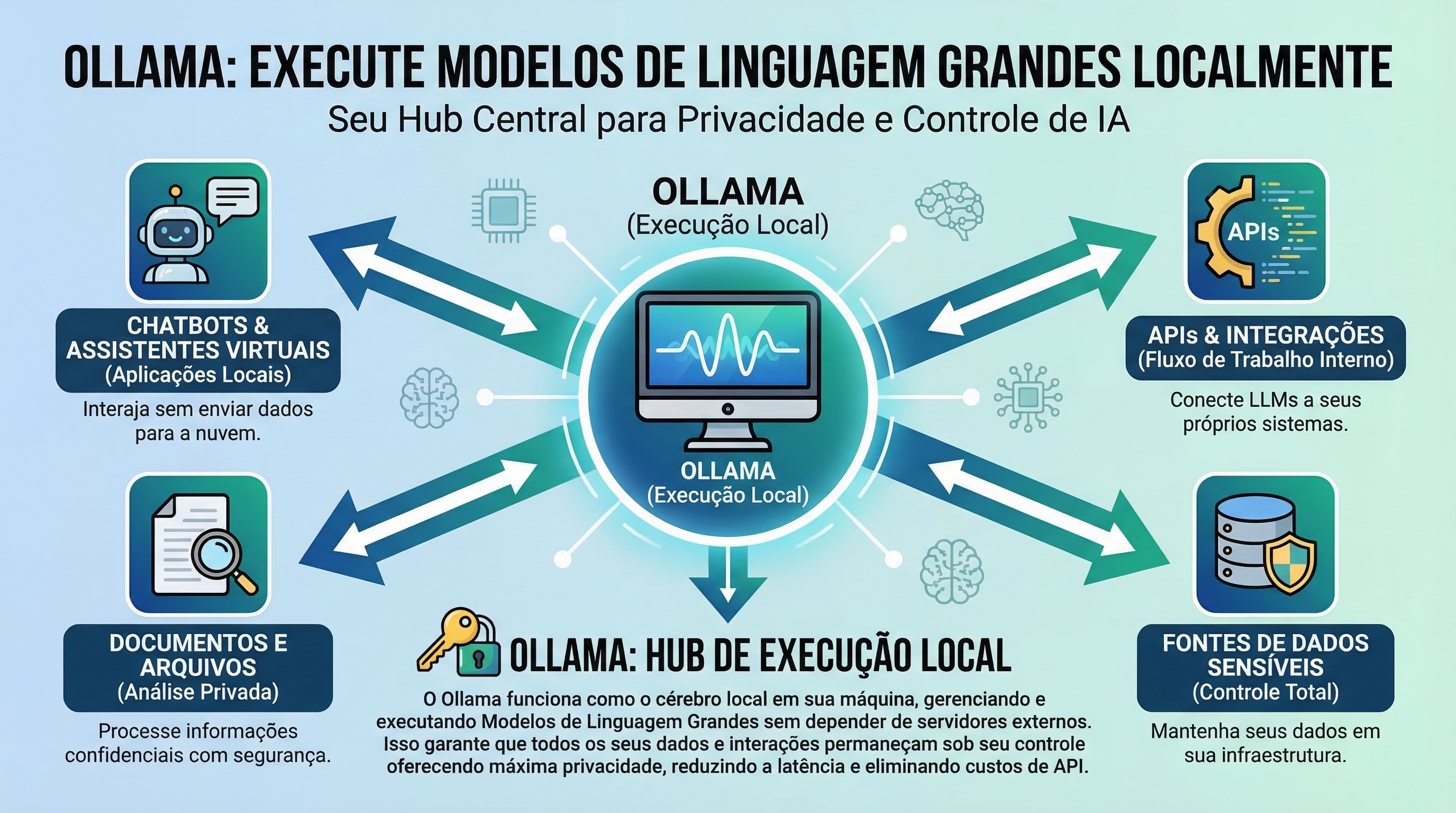
The growing popularity of large language models (LLMs) like GPT-3 has opened new possibilities for automation and artificial intelligence. However, access to these models often depends on paid APIs and the need to send data to external servers, raising concerns about privacy and costs. Ollama emerges as a promising solution, allowing you to run LLMs directly on your local machine, offering complete control and eliminating dependence on third-party services.
What is Ollama and Why Use It?
Ollama is an open-source tool that simplifies the process of downloading, configuring, and running LLMs on your computer. It abstracts the complexity of dependency and configuration management, providing an intuitive command-line interface to interact with models. By running LLMs locally, you ensure that your data remains private, avoid API costs, and gain greater flexibility to customize and adapt models to your needs. This opens doors to various applications, from developing chatbots and virtual assistants to text generation tasks and data analysis.
Installing and Configuring Ollama
Installing Ollama is a simple and straightforward process. It is available for macOS, Linux, and Windows (via WSL2). The official website (https://ollama.com/) provides detailed instructions for each operating system. After installation, you can start using Ollama immediately, without the need to configure environment variables or install additional dependencies. The tool handles all technical details, allowing you to focus on using the models.
Downloading and Managing Models
Ollama offers a growing catalog of pre-trained models that can be downloaded and run with a single command. To list available models, use the ollama pull command. You can also search for specific models using the ollama pull <model_name> command. After downloading, the model will be available for immediate use. Ollama automatically manages model storage and versioning, making it easy to update and switch between different options. It's important to note that model sizes can vary significantly, so make sure you have sufficient storage space on your disk.
If you're looking to explore the power of AI to optimize your operations, consider the solutions that Toolzz AI has to offer.
Interacting with LLMs in the Terminal
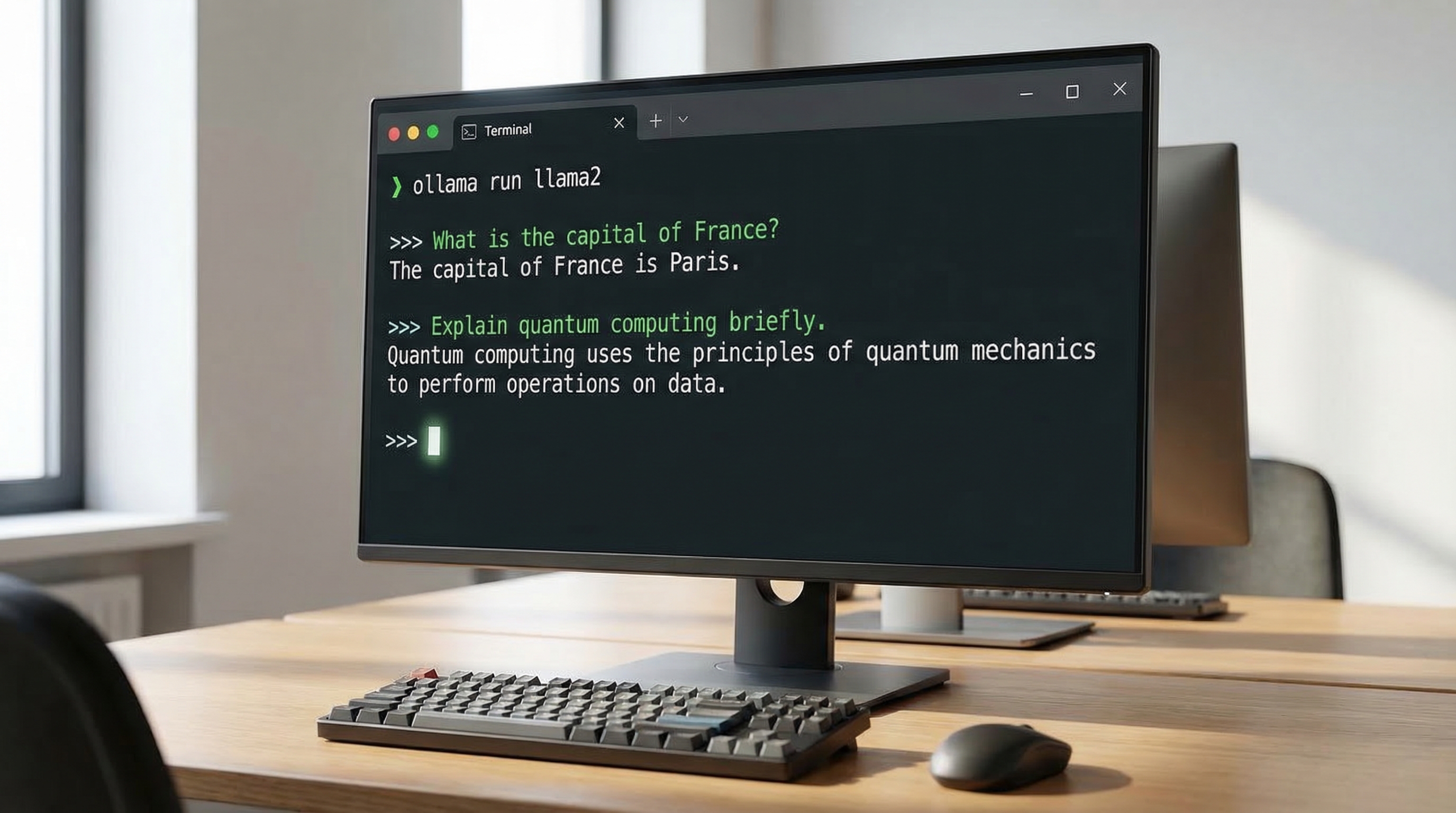
Once the model is downloaded, you can start interacting with it directly in the terminal. The ollama run <model_name> command starts an interactive session where you can enter prompts and receive responses from the model. Ollama handles communication and processing, presenting responses in a clear and organized manner. You can use this interface to test different prompts, explore the model's capabilities, and adjust parameters to achieve desired results. The simplicity of the command-line interface makes Ollama accessible even to users without programming experience.
Integrating Ollama with Development Tools
Ollama can be easily integrated with development tools such as code editors and IDEs. This allows you to leverage LLMs in your software projects, automating tasks like code generation, documentation, and testing. The tool offers APIs and libraries that facilitate communication with models, enabling you to create custom applications and automated workflows. Additionally, Ollama can be used in conjunction with other AI tools, such as machine learning frameworks and natural language processing libraries, further expanding its capabilities.
Automate your tasks with AI! Request a demo of Toolzz AI and see how we can transform your processes.
Ollama and the Future of Local AI
Ollama represents an important step toward a future where artificial intelligence is more accessible, private, and customizable. By allowing users to run LLMs locally, it democratizes access to this powerful technology and empowers developers to create innovative applications without relying on third-party services. Combined with the customization capability offered by platforms like Toolzz AI, which enables the creation of customized AI agents, Ollama opens new possibilities for automation and artificial intelligence in businesses of all sizes. By reducing dependence on external APIs, Ollama also contributes to creating more resilient and secure solutions.
In summary, Ollama is a powerful and versatile tool that simplifies the process of running LLMs locally, ensuring privacy, eliminating costs, and opening new possibilities for automation and artificial intelligence. If you're looking for a way to experiment with and integrate LLMs into your projects, Ollama is an excellent option.























.webp)