Create a Voice Assistant with AI: Twilio and Gemini
A comprehensive guide on building an intelligent voice assistant using Twilio and Gemini AI, covering architecture, implementation, and integration with customer service solutions.
Create a Voice Assistant with AI: Twilio and Gemini
The growing demand for smarter and more automated voice interactions drives the search for solutions that facilitate the creation of effective virtual assistants.

March 15, 2026

Understanding the Architecture
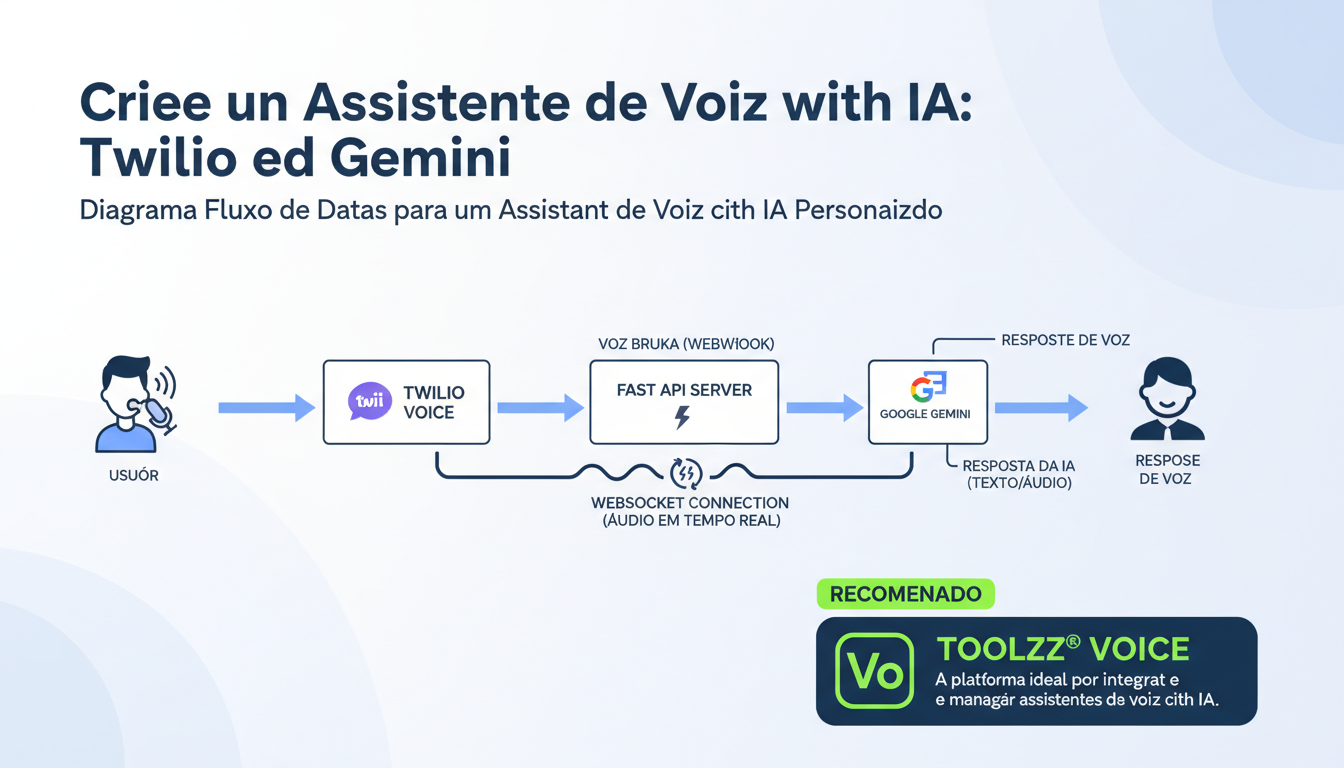
The process of creating a voice assistant with Twilio and Gemini involves orchestrating various components. Initially, when a user makes a call to a Twilio number, the Twilio system directs the request to a Fast API server, which returns TwiML (Twilio Markup Language) instructions. The TwiML instructs Twilio to establish a WebSocket connection, crucial for real-time communication. As the user speaks, Twilio transmits the speech transcription to the server, which in turn forwards it to Gemini. Gemini processes the request, generates a response, and sends it back to Twilio, which converts it to audio and plays it for the user.
Prerequisites and Initial Setup
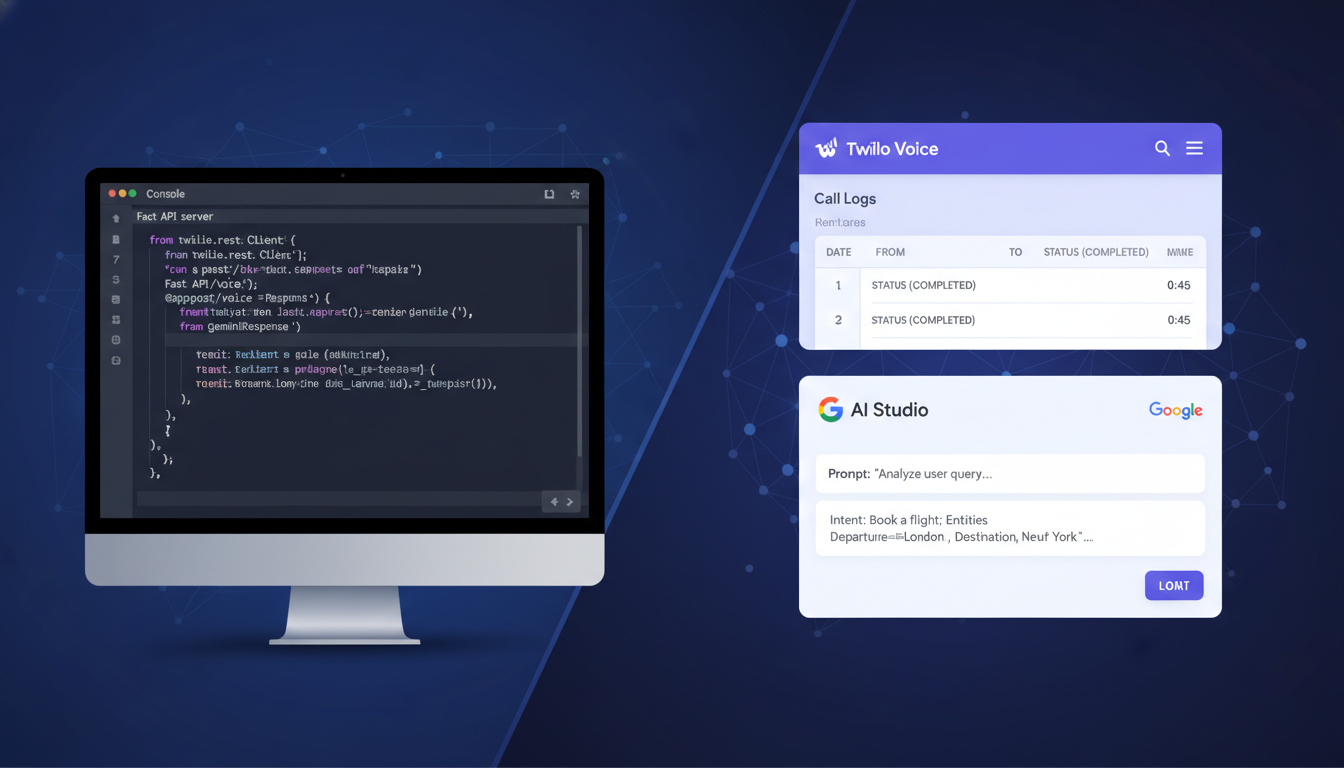
To get started, you'll need a Twilio account, a Twilio phone number, and a Gemini API key, obtained through AI Studio. Additionally, a tunneling service like Ngrok is required to expose your local server to the internet. Set up a Python development environment with the necessary libraries: google-genai, python-dotenv, fastapi, websockets, and uvicorn. Use a .env file to securely store your API keys and other sensitive configurations.
Implementing the Fast API Server
The heart of the voice assistant lies in the Fast API server. This server manages communication between Twilio and Gemini. Start by importing the necessary libraries and configuring environment variables. Define a system prompt to guide Gemini's behavior, specifying how it should respond to queries. Initialize the Gemini client with your API key and create a dictionary to store chat sessions, allowing Gemini to maintain conversation context for each user individually.
Creating TwiML and WebSocket Endpoints
The /twiml endpoint is the entry point for Twilio calls. It responds with TwiML that instructs Twilio to open a WebSocket connection. The /ws endpoint manages real-time WebSocket communication. When a call is initiated, Twilio sends a setup event, allowing you to create a new chat session for the user. As the user speaks, Twilio sends prompt events containing the speech transcription. The server sends this transcription to Gemini, receives the response, and sends it back to Twilio through the WebSocket, which converts it to audio and plays it for the user.
The Crucial Role of the System Prompt
The quality of the system prompt is fundamental to the voice assistant's performance. A well-crafted prompt guides Gemini to respond accurately and relevantly. It's important to consider details such as number formatting (to prevent Twilio from reading them incorrectly) and the desired tone of voice. Experiment with different prompts to optimize the user experience. A clear and concise prompt ensures that Gemini understands the instructions and generates appropriate responses.
Want to optimize your voice assistant's user experience? Discover how Toolzz Voice can help you.
Integrating with Toolzz for Customized Service Solutions
While building a voice assistant with Twilio and Gemini is a great starting point, for more robust and scalable customer service solutions, consider integrating with Toolzz Bots. Toolzz Bots offers a no-code platform to create custom chatbots and voice agents, with advanced features such as CRM integration, intelligent call routing, and data analysis. Additionally, with Toolzz AI you can create custom AI agents for specific tasks, such as customer support, appointment scheduling, and much more, elevating your service quality and optimizing the user experience.
To better understand how Toolzz AI can transform your customer service, schedule a personalized demo.
Conclusion
Building a voice assistant with Twilio and Gemini is an accessible and rewarding project that opens up a range of possibilities for automating tasks, improving communication, and offering personalized experiences. By mastering the concepts presented in this guide and exploring the available tools, you'll be ready to create innovative and efficient solutions. Toolzz can be an excellent partner on this journey, providing the infrastructure and resources needed to scale your customer service solutions and reach new levels of efficiency and user satisfaction.
---























.webp)