Building Full-Stack Applications with AWS, React and TypeScript
A comprehensive guide on building secure, scalable full-stack web applications using AWS services (Lambda, DynamoDB, API Gateway, Cognito, CloudFront), React, and TypeScript, including infrastructure as code with AWS CDK.
Building Full-Stack Applications with AWS, React and TypeScript

March 18, 2026
Building a web application that only works on your local machine is one thing. Creating one that is secure, connected to a real database, and accessible to anyone on the internet is a different challenge. This requires a different set of tools and approaches.
Traditionally, production web applications need to store and retrieve data, expose that data through an API, require user authentication, and be deployed in a reliable and fast environment. Managing servers, configuring databases, and handling authentication infrastructure were manual and complex processes.
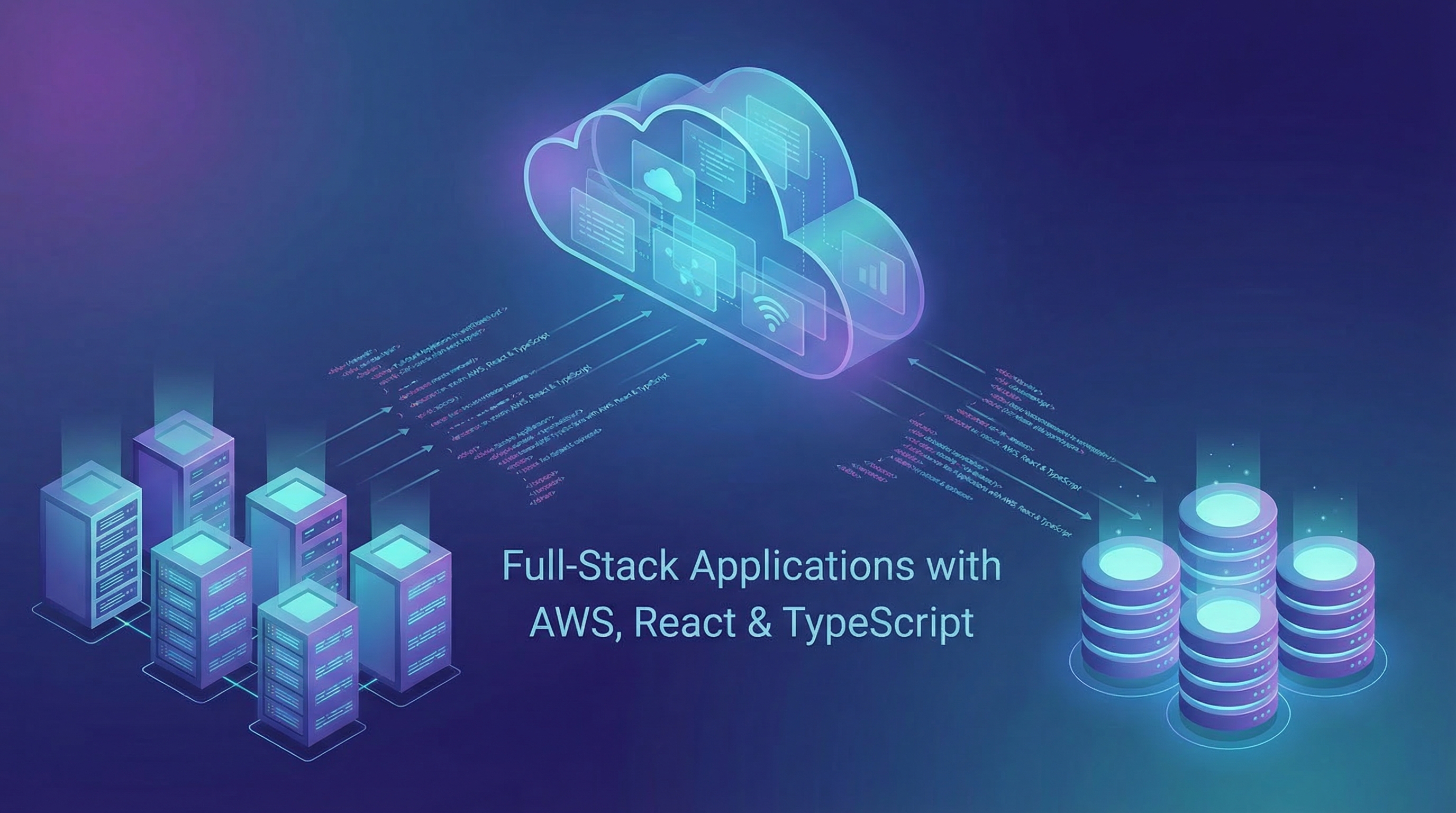
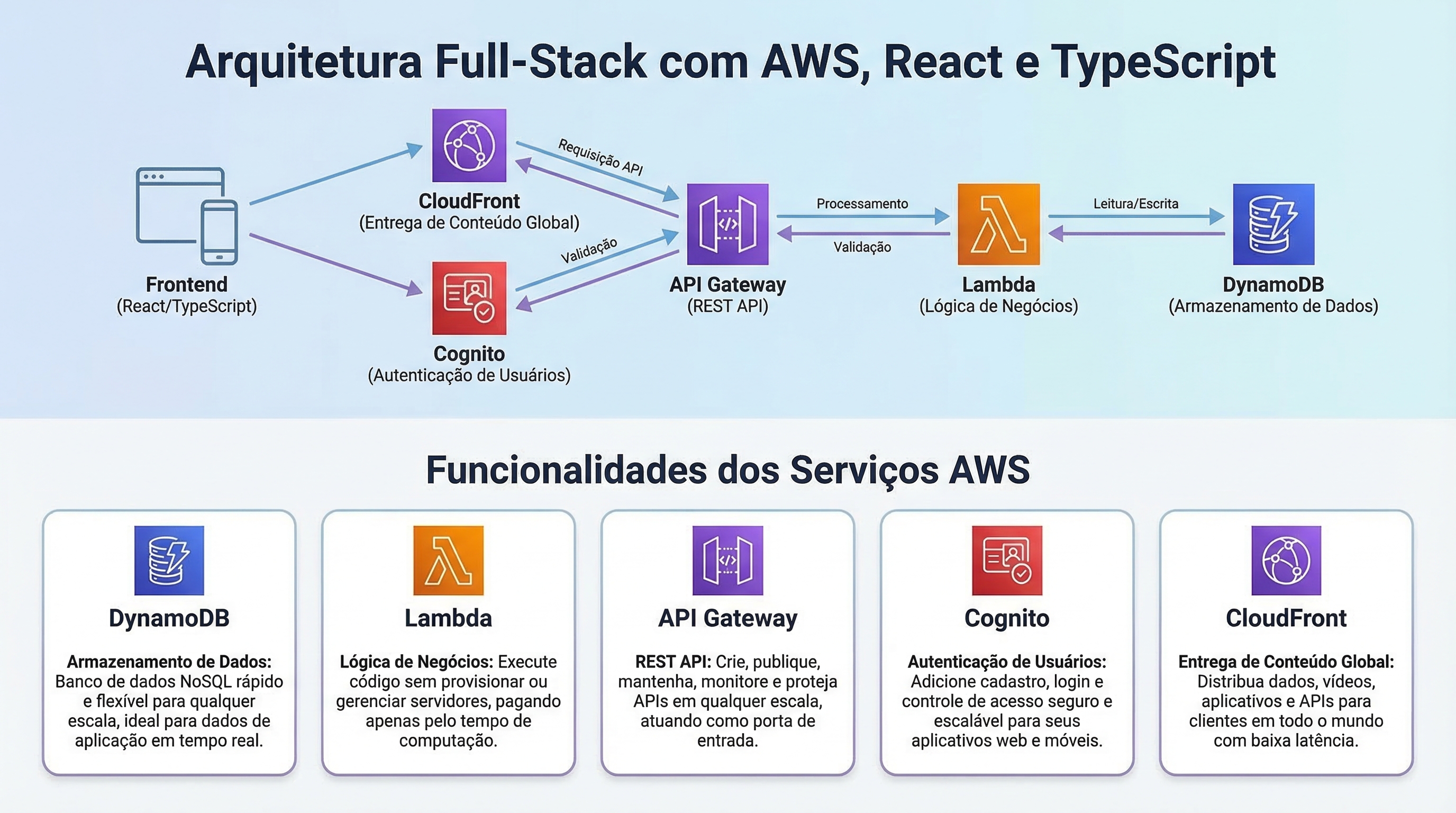
AWS (Amazon Web Services) significantly simplifies this process. The combination of services like Lambda, DynamoDB, API Gateway, Cognito, and CloudFront allows you to build and deploy fully functional, secure, and globally distributed applications without managing a single server. Each service has a specific responsibility:
- DynamoDB: Stores your data.
- Lambda: Executes your business logic on demand.
- API Gateway: Exposes your functions as a REST API.
- Cognito: Manages user authentication.
- CloudFront: Distributes your frontend globally via HTTPS.
The AWS CDK (Cloud Development Kit) integrates all of this, allowing you to define all these services as TypeScript code. Instead of manually configuring each resource in the AWS console, you describe your entire infrastructure in a single file and deploy it with one command.
What You Will Build
In this guide, you will build a vendor management dashboard with two columns. Authenticated users will be able to:
- Add a new vendor (name, category, contact email).
- View all saved vendors in real-time.
- Delete a vendor from the list.
- Log in and log out securely.
The frontend will be built with Next.js. The backend will run entirely on AWS: DynamoDB will store the data, Lambda functions will handle the logic, API Gateway will expose a REST API, Cognito will manage authentication, and CloudFront will serve the application globally via HTTPS.
Simplified Architecture
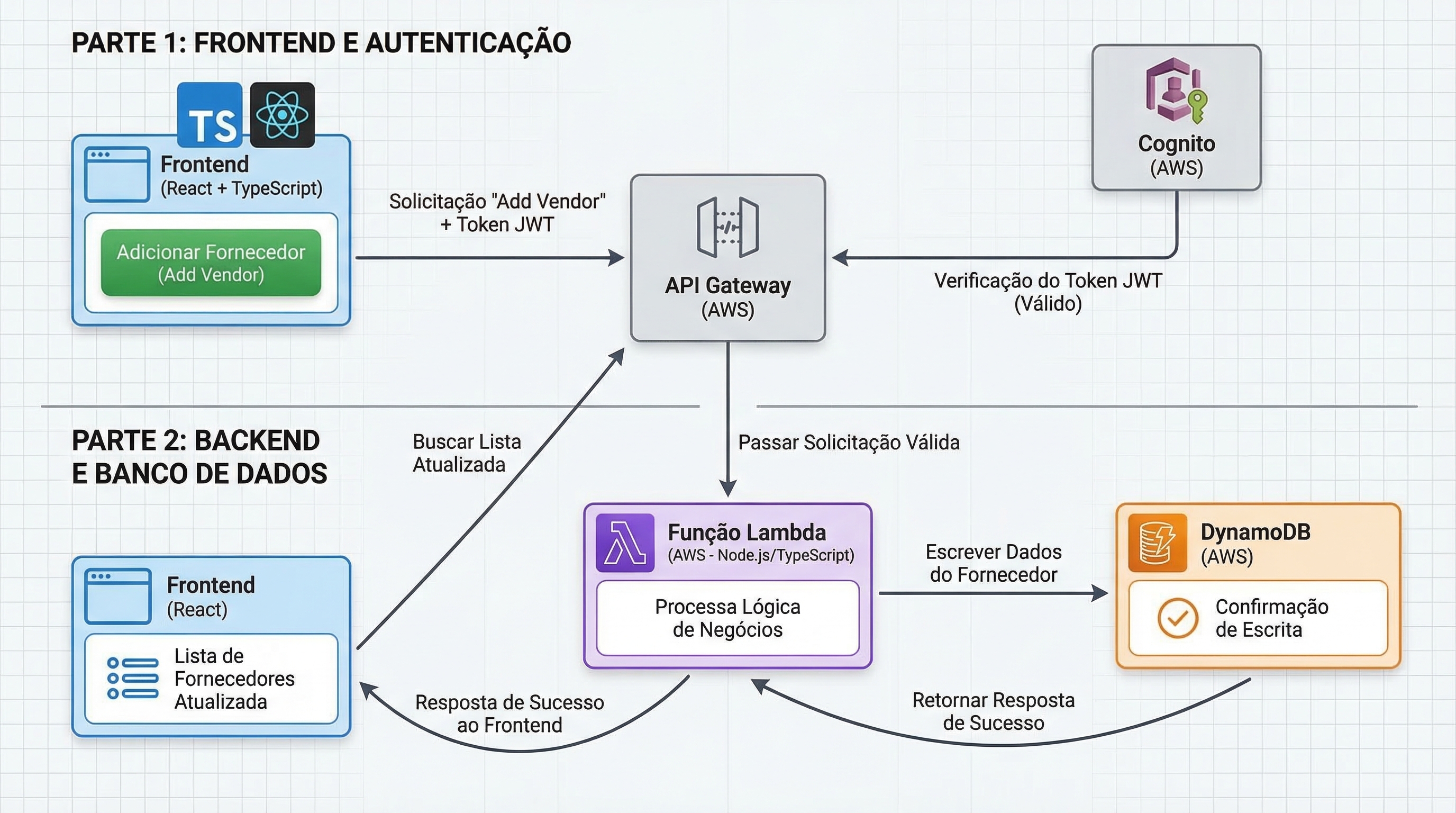
When a user clicks "Add Vendor" in the React application, the following will occur:
- The frontend will read the user's authentication JWT token from the browser session.
- It will send a
POSTrequest to API Gateway, including the token in the request header. - API Gateway will verify the token with Cognito. If the token is invalid or missing, the request will be rejected with a 401 error.
- If the token is valid, API Gateway will pass the request to the
createVendorLambda function. - The Lambda function will write the new vendor to DynamoDB.
- DynamoDB will confirm the write and Lambda will return a success response.
- The frontend will fetch the vendor list again and update the user interface.
Preparing the Environment
Before you start coding, you will need an AWS account, the right tools installed, and credentials configured to allow these tools to communicate with AWS. Make sure you have Node.js (version 18 or higher), npm, a code editor (like VS Code), and a terminal set up.
Configure your AWS credentials with the aws configure command, providing your Access Key ID, Secret Access Key, default region (us-east-1), and output format (json). Using an account with appropriate permissions is crucial for successful development and deployment.
Want to optimize your AWS workflow?
Request Toolzz AI demoNext Steps and Automation with Toolzz
This tutorial demonstrates the power of AWS for building scalable and secure full-stack applications. The complexity of infrastructure setup and management can be a challenge. This is where solutions like Toolzz AI can be valuable. Custom AI agents can automate repetitive tasks, monitor infrastructure, and even assist in troubleshooting, freeing your team to focus on innovation.
With Toolzz, you can create AI agents to manage and optimize your AWS infrastructure, from resource provisioning to anomaly detection and incident response automation. Explore the possibilities of artificial intelligence to simplify the development and deployment of your applications.
Still have questions about how AI can help you manage your AWS infrastructure? Schedule a demo and discover how Toolzz AI can transform your operation.
See how easy it is to create your AI
Click the arrow below to start an interactive demonstration of how to create your own AI.





















.webp)