Why Migrate to Toolzz Now: 7 Canva Alternatives in 2026
An in-depth exploration of Canva's limitations for businesses and seven powerful alternatives, with a special focus on Toolzz LXP as the ideal solution for companies seeking innovation, flexibility, and autonomy in content creation and corporate training.

Why Migrate to Toolzz Now: 7 Canva Alternatives in 2026

March 17, 2026
Canva revolutionized visual content creation, democratizing design for users of all skill levels. However, as business needs evolve, Canva's limitations, especially regarding customization, brand control, and advanced learning features, become more evident. This article explores Canva's main disadvantages and presents seven powerful alternatives, highlighting Toolzz LXP as the ideal solution for companies seeking innovation, flexibility, and autonomy.
Canva's Limitations for Businesses
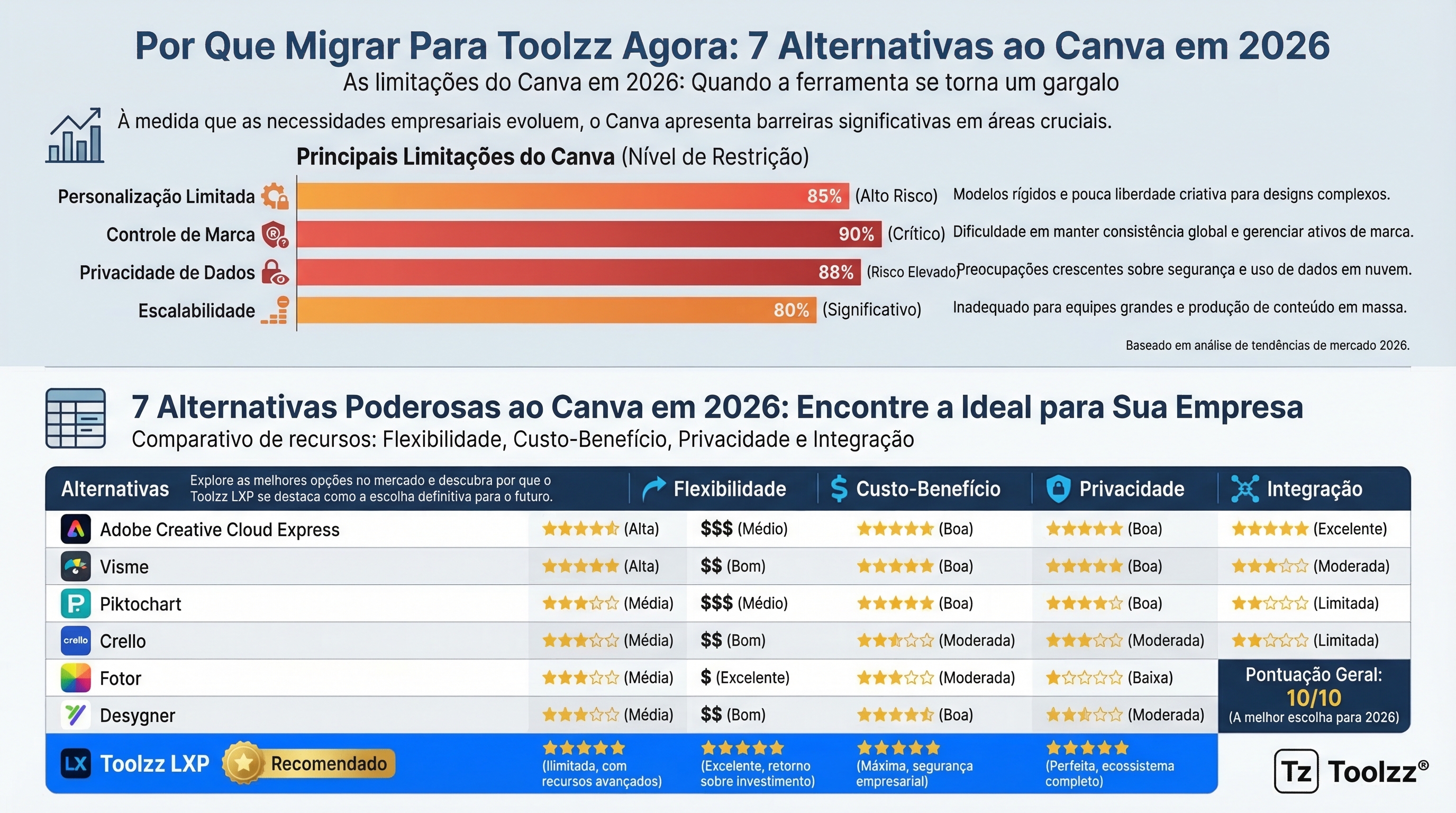
While Canva is excellent for quick and simple design tasks, it faces challenges when applied to more complex corporate contexts. The lack of full control over source code, limited customization options, and dependence on pre-defined templates can compromise brand visual identity. Additionally, Canva's subscription model can generate significant long-term costs, especially for large teams. Data privacy concerns are also an important factor to consider, since created content is stored on Canva's servers. Scalability can also be an issue, as Canva may not meet the needs of rapidly growing companies.
Canva Alternatives: An Overview
There are several alternatives to Canva, each with its own strengths and weaknesses. Some popular options include Adobe Creative Cloud Express, Visme, Piktochart, Crello (Depositphotos), Fotor, and Desygner. These platforms offer a wider range of design, customization, and collaboration features, but many still present limitations in terms of brand control and integration with other corporate systems. Choosing the best alternative depends on each company's specific needs and long-term objectives.
1. Adobe Creative Cloud Express: Power and Flexibility
Adobe Creative Cloud Express is a robust option for companies seeking advanced design features. It offers a wide variety of templates, fonts, and editing tools, plus integration with other Adobe Creative Cloud applications. However, the interface can be complex for beginner users and the subscription cost can be high.
2. Visme: Interactive Presentations and Infographics
Visme specializes in creating interactive presentations and infographics. It offers a wide variety of templates and animation tools, enabling the creation of visually attractive and informative content. However, customization may be limited compared to other platforms.
3. Piktochart: Simplified Data Visualization
Piktochart is an easy-to-use tool for creating infographics and reports. It offers a wide variety of templates and data visualization tools, allowing information to be presented clearly and concisely. However, design options are relatively limited.
4. Toolzz LXP: Innovation in Education and Design with AI
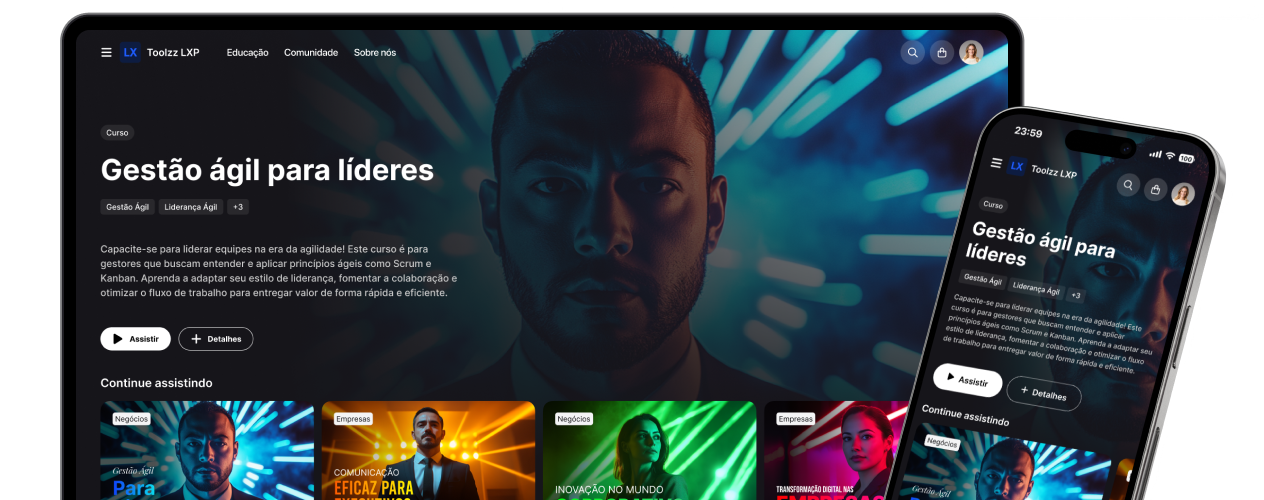
Toolzz LXP stands out as a powerful alternative to Canva, offering a unique combination of corporate education, design, and artificial intelligence features. With Toolzz LXP, companies can create customized training materials, interactive presentations, and visually attractive content, all in a single environment.
Are you looking to innovate in visual content creation and training materials? Discover Toolzz LXP's features.
The platform offers full brand control, allowing companies to customize the interface and content according to their visual identity. Additionally, Toolzz LXP offers advanced data analysis features, enabling companies to monitor their training materials' performance and identify areas for improvement. The absence of transaction fees (own checkout) and the white-label possibility make Toolzz LXP an economical and flexible option for companies of all sizes. The integration of AI agents into the platform enables the creation of personalized and interactive learning experiences, adapted to each user's needs. A support AI agent can answer questions instantly, while a blog AI agent can assist in content creation.
5. Fotor: Simplified Photo Editing and Graphic Design
Fotor is an online tool for photo editing and graphic design. It offers a variety of filters, effects, and editing tools, enabling the creation of high-quality images. However, customization options are limited compared to other platforms.
6. Desygner: Graphic Design for Everyone
Desygner is an easy-to-use graphic design tool, focused on team collaboration. It offers a wide variety of templates and editing tools, plus sharing and feedback features. However, customization may be limited.
Want to know more about how AI can optimize content creation?
Explore Toolzz AI
7. Other Alternatives: Crello and Niche Platforms
Crello (now Depositphotos) offers a variety of design templates and editing tools. There are also niche platforms specialized in areas such as presentation design, infographic creation, or video editing. Choosing the best alternative depends on each company's specific needs.
Conclusion
While Canva is a valuable tool for simple design tasks, companies seeking greater control, customization, and advanced learning features should consider alternatives like Toolzz LXP. Toolzz LXP offers a unique combination of corporate education, design, and artificial intelligence, enabling companies to create personalized learning experiences and visually attractive marketing materials. By investing in a platform like Toolzz LXP, companies can strengthen their brand identity, improve employee engagement, and obtain a significant return on their investment in education and design. To discover how Toolzz LXP can transform your corporate education and design strategy, schedule a demonstration today.
See how easy it is to create your AI
Click the arrow below to start an interactive demonstration of how to create your own AI.




















.webp)